Overview
Rheonics Sensor View App is a mobile application for connecting to Rheonics sensor systems through Bluetooth Low Energy (BLE). It provides direct access to sensor measurements and configuration tools from an Android or iOS smartphone or tablet.
Sensor View can be used to monitor viscosity, kinematic viscosity, density, and temperature in real time, configure supported communication parameters, and perform sensor scaling.
The application automatically scans for nearby Rheonics electronics with BLE. Users can select a device, establish a connection, and complete the pairing process using the Pairing Key displayed by the SME-TRD.
The Measurement screen provides real-time values for Viscosity, Kinematic Viscosity, Density, and Temperature. Measurements are displayed together with a time-based chart, allowing users to monitor process behavior directly from the mobile device.
Sensor View provides access to communication and configuration parameters supported by the connected sensor electronics. Available options depend on the connected device and its permissions.
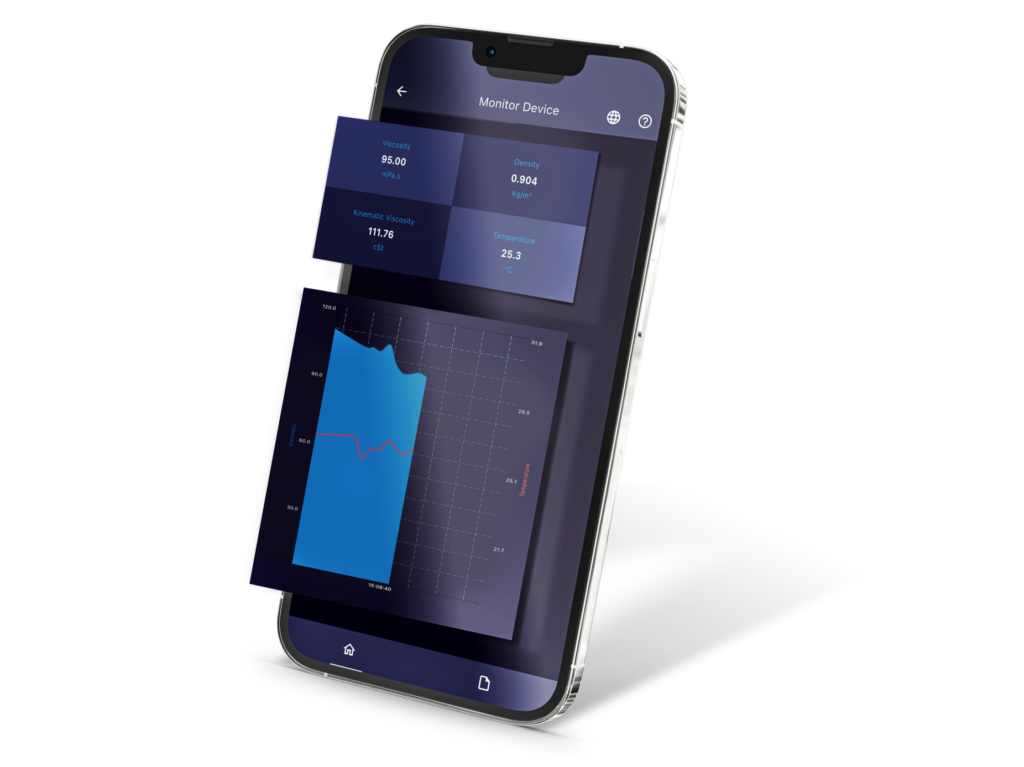
Figure 1. Rheonics Sensor View App
New Features
The latest Sensor View update expands the application with new features as calibration, configuration, usability, and tablet-support capabilities.
- Screen Orientation
- Contextual Help
- Automatic Language and Region Detection
- Expanded Communication Configuration
- Sensor Scaling
Screen Orientation
Sensor View now provides a responsive interface for tablets, supporting both portrait and landscape orientations.
In landscape mode, supported screens can reorganize their content to make better use of the available screen space. Smartphones remain in portrait orientation to preserve the mobile user experience.
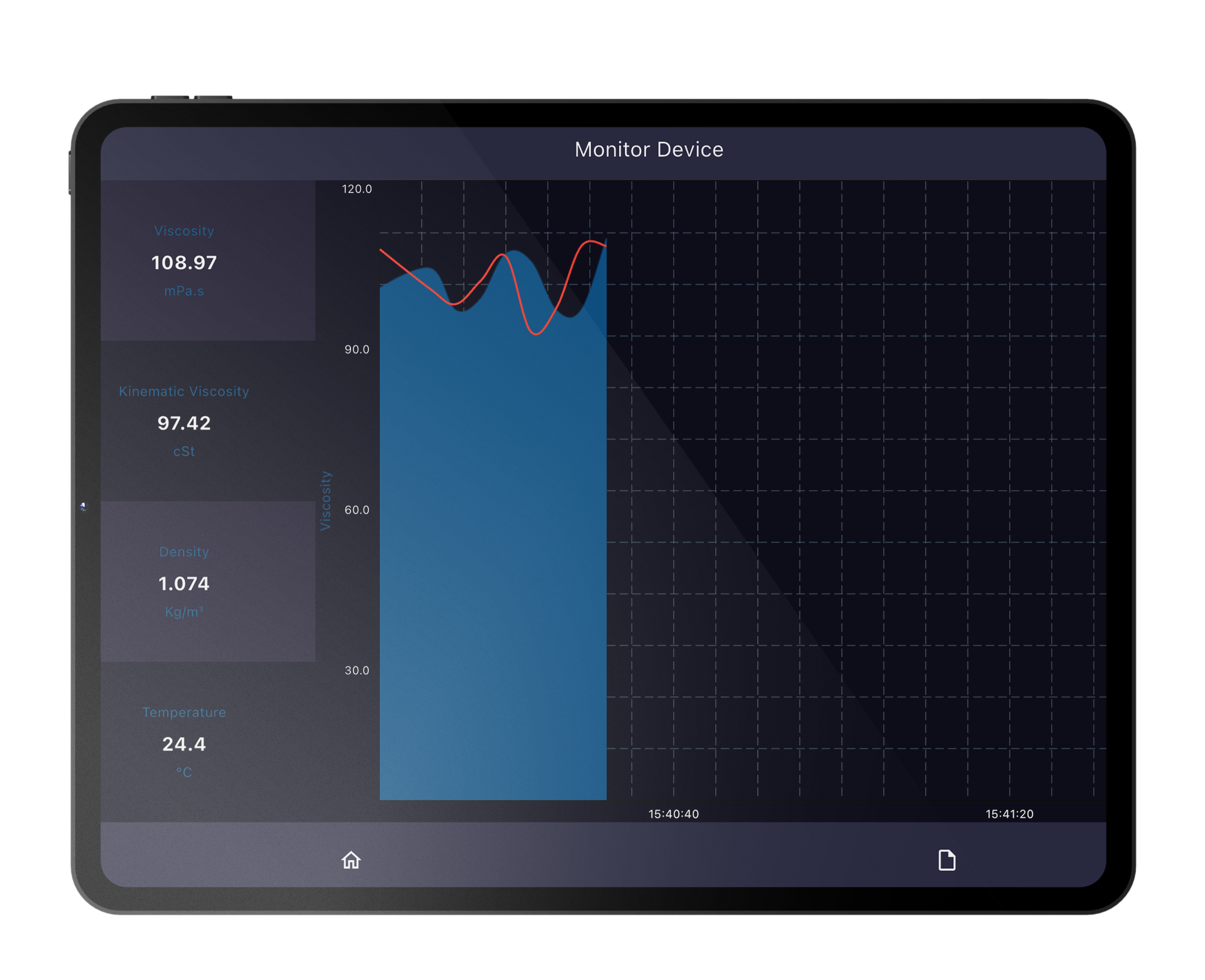
Figure 2. Sensor View tablet orientation
Contextual Help
A new contextual help function provides additional guidance directly within the application. A Help icon is available next to relevant fields and settings and displays a short explanation of the parameter and, where applicable, the expected input format.
This makes less frequently used configuration options easier to understand without leaving the application.
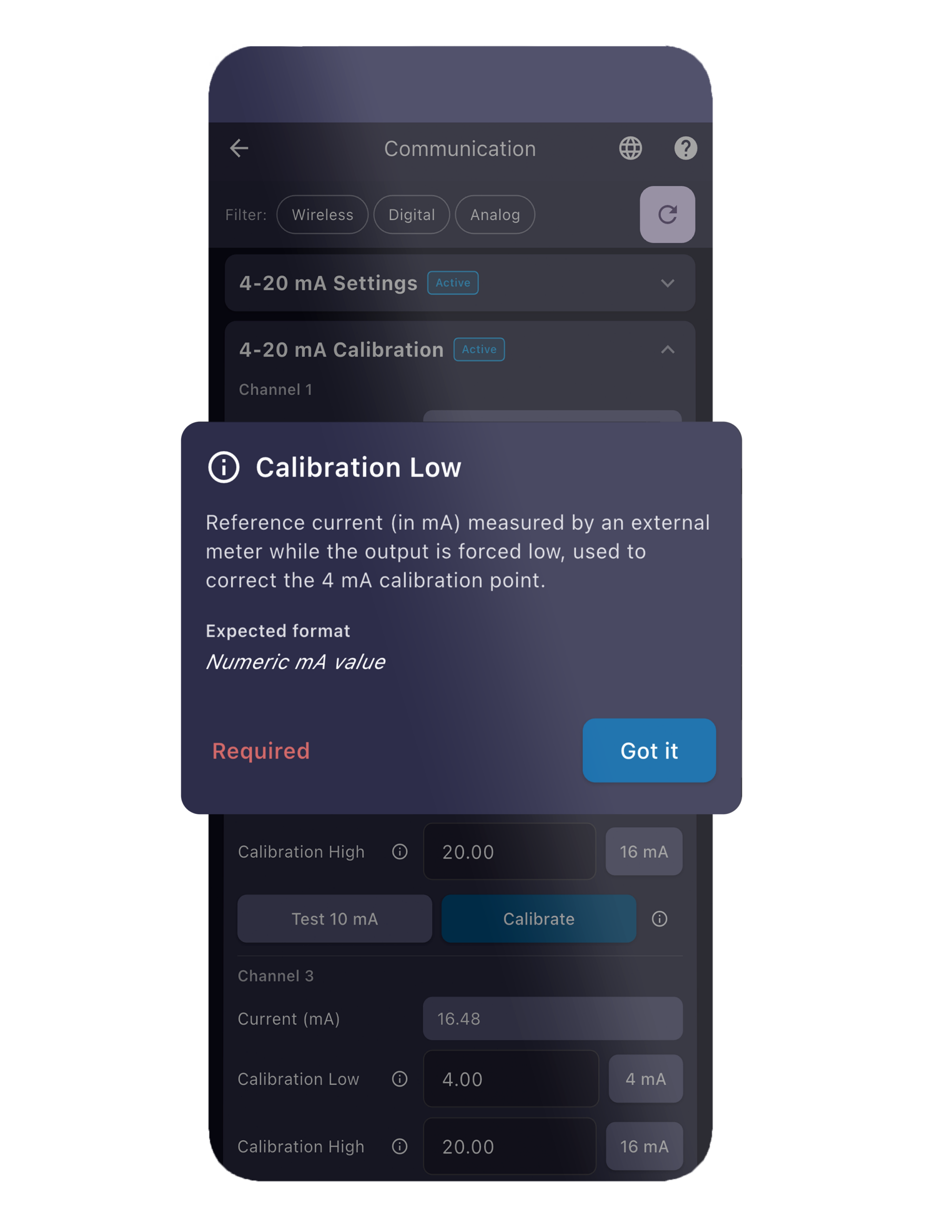
Figure 3. Contextual Help popup
Language and Region Detection
Sensor View can automatically initialize the application language from the device language settings and detect the user’s region. These settings can still be changed manually at any time, and a manual selection is preserved for future use.
The application supports English, Spanish, Japanese, German, Portuguese, and French.
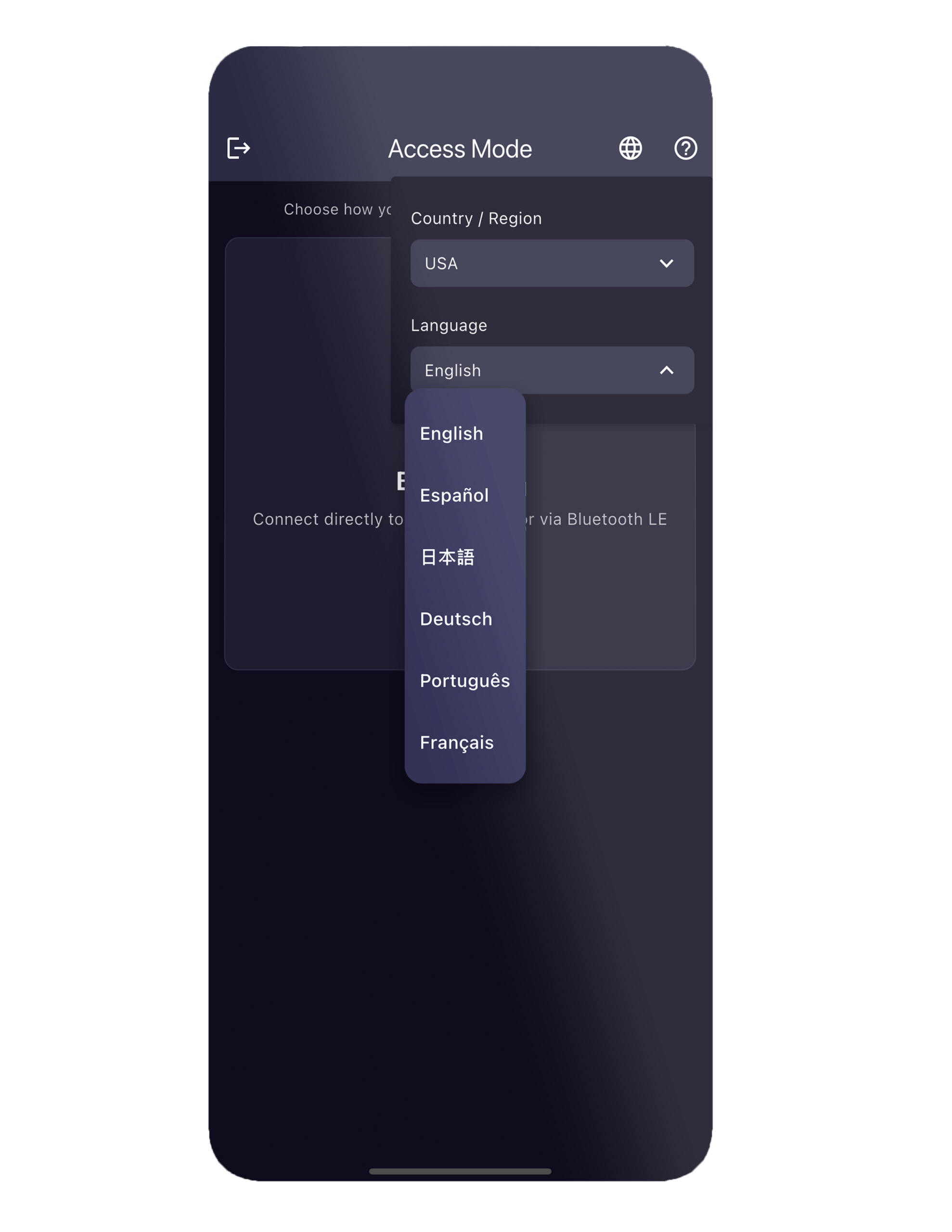
Figure 4. Language and Region settings
Communication screen
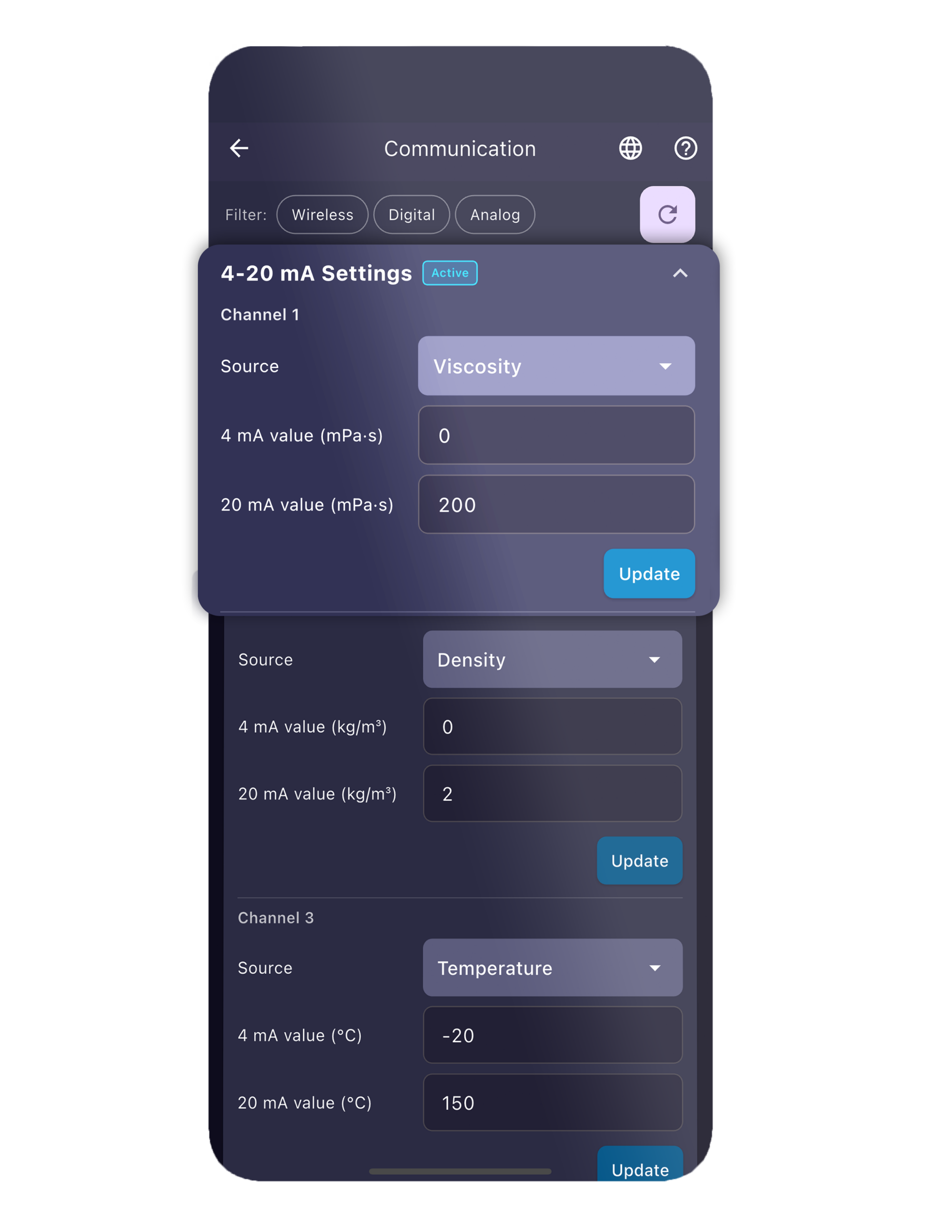
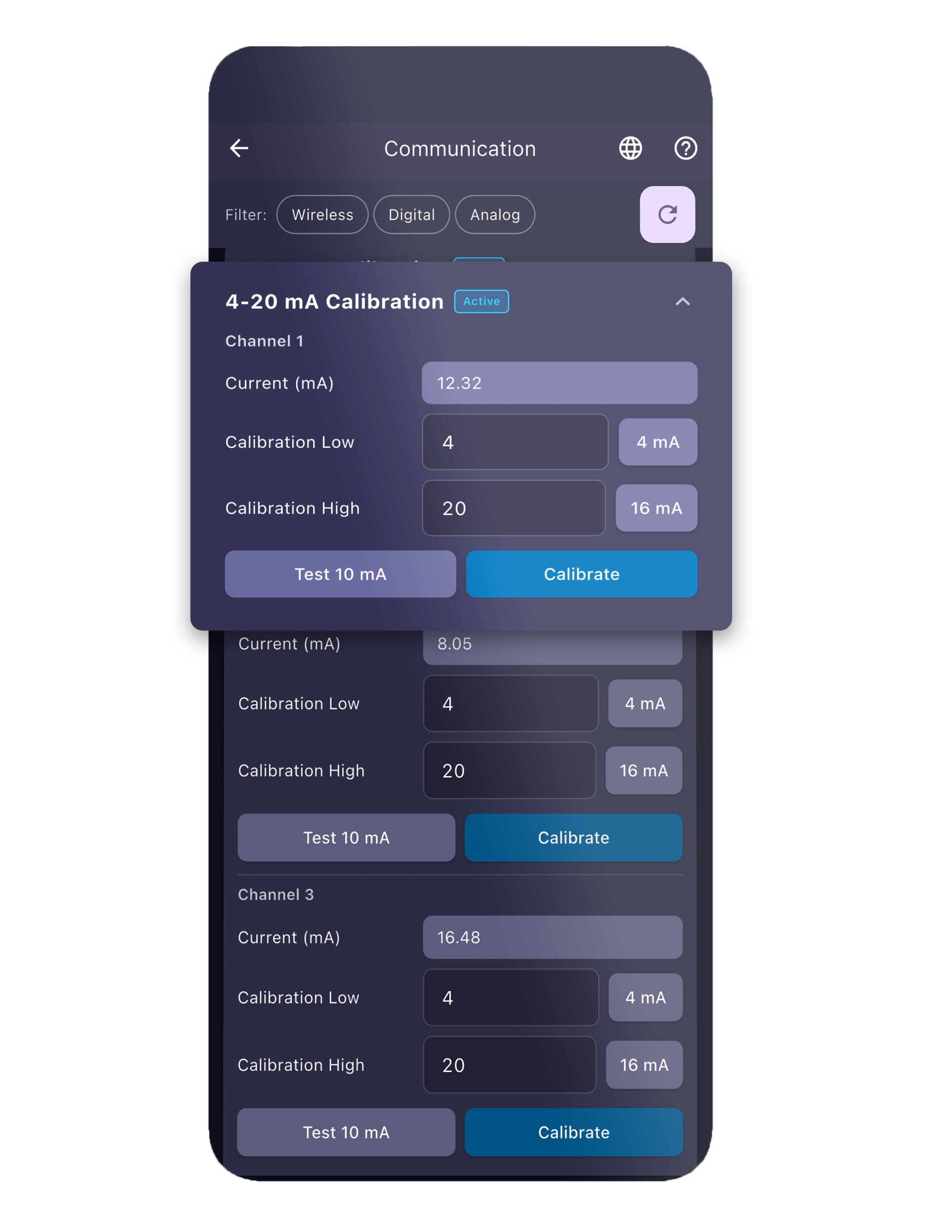
The Communication screen provides access to the communication settings available on compatible SME-TRD systems. The latest update adds HART and 4–20 mA configuration and calibration alongside the existing communication options.
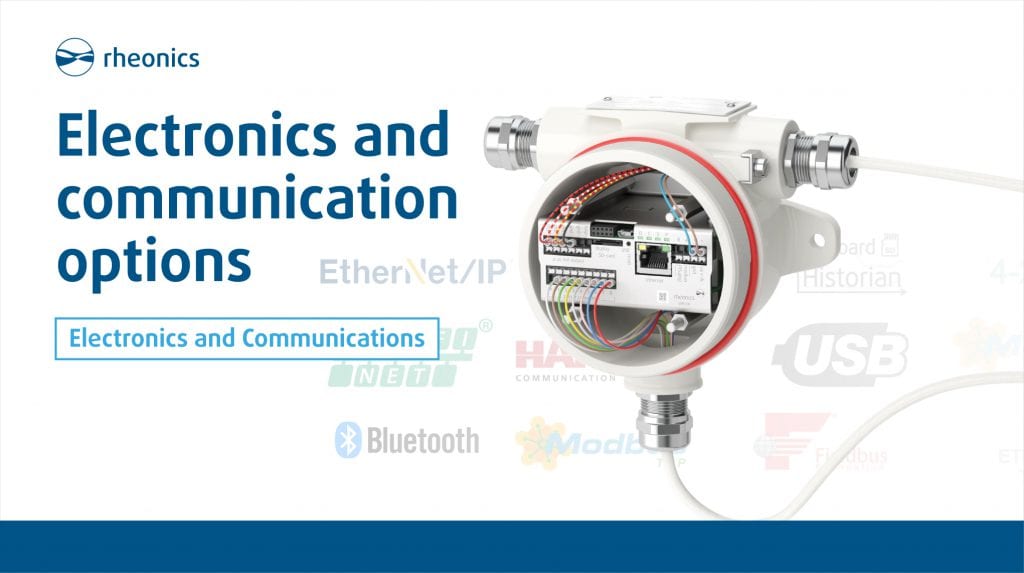
Available communication options include Bluetooth LE 4.0, Ethernet, Modbus RTU (RS-485), Profinet, HART, LCD Display, 4–20 mA Calibration, and 4–20 mA Settings.
The available parameters depend on the connected device and its permissions. The Communication screen is available for SME-TRD devices running Firmware Version 4.
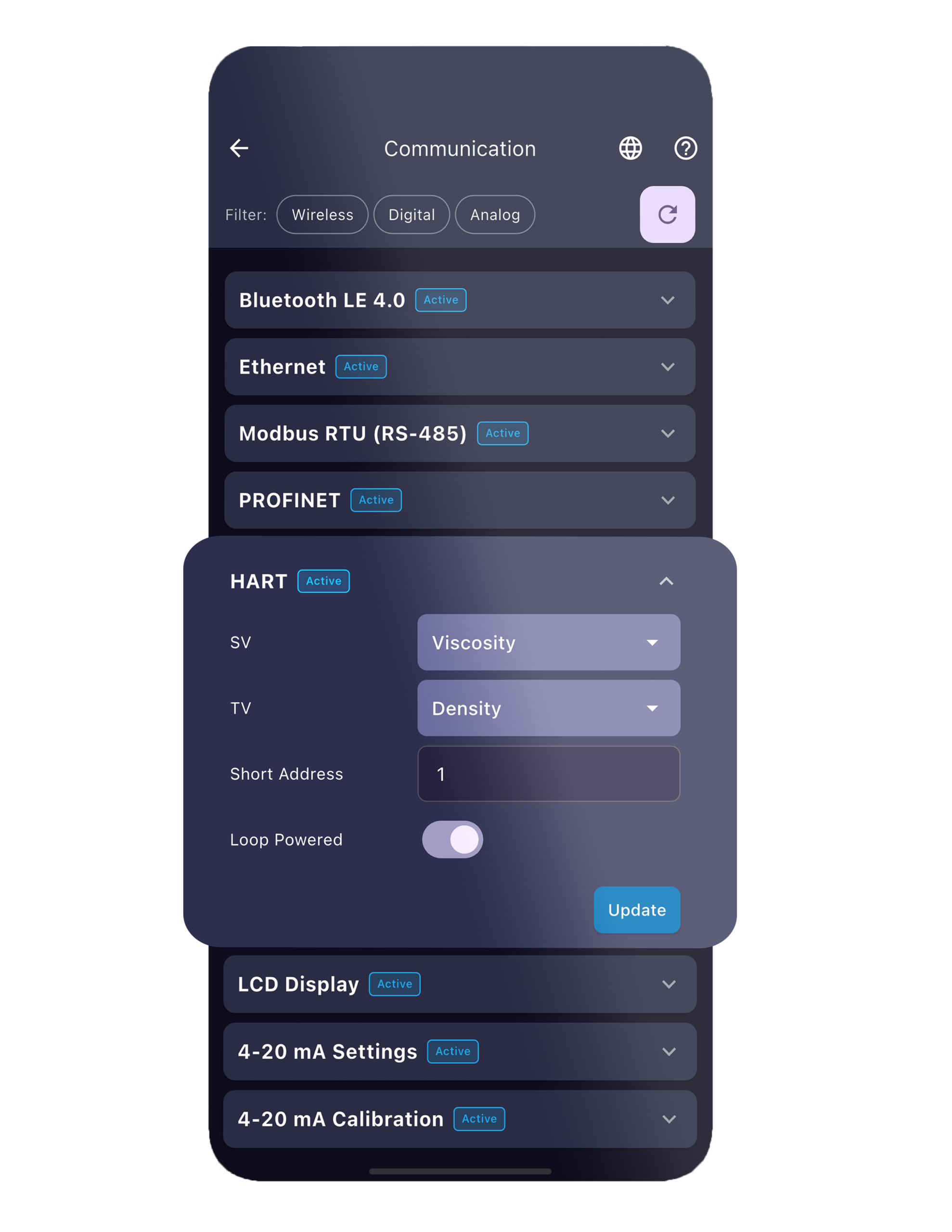
Figure 5. Communication Screen
Scaling screen
Sensor View now includes a dedicated Scaling screen for sensor calibration. The screen allows users to perform either Single-Point or Two-Point scaling operations and then verify the resulting configuration.
The Scaling screen is password protected and provides a guided workflow for applying calibration adjustments to supported measurement parameters.
Scaling can be applied to supported measurement parameters using Single-Point or Two-Point calibration, depending on the required adjustment.
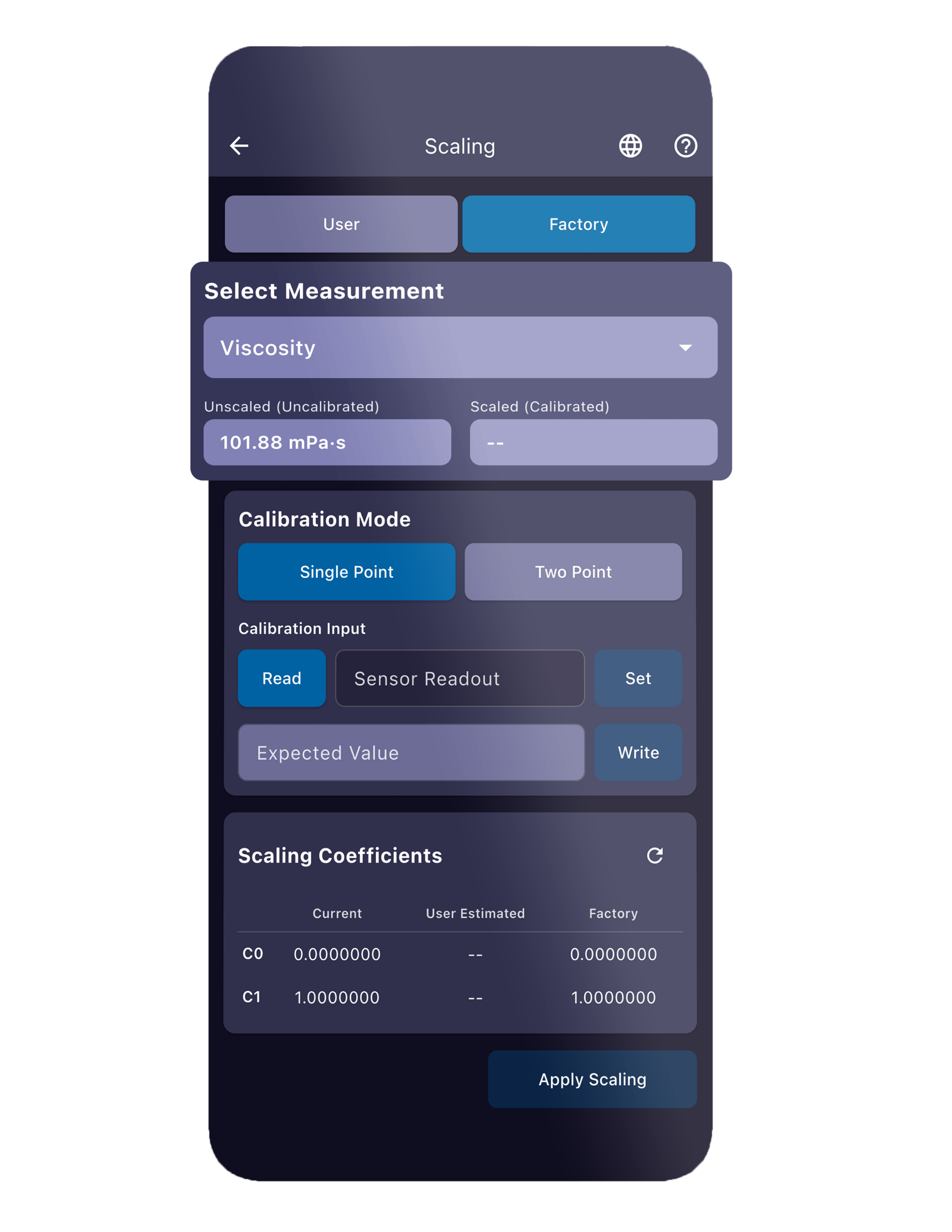
Figure 6. Scaling Screen
Getting Started
Sensor View is available for Android and iOS devices. To connect to a Rheonics system, Bluetooth must be enabled, location services must be active, and the SME-TRD must be powered with Bluetooth enabled.
After launching the application, Sensor View automatically scans for nearby Rheonics BLE devices. Once the device is selected, the user can pair using the key displayed by the SME-TRD.