
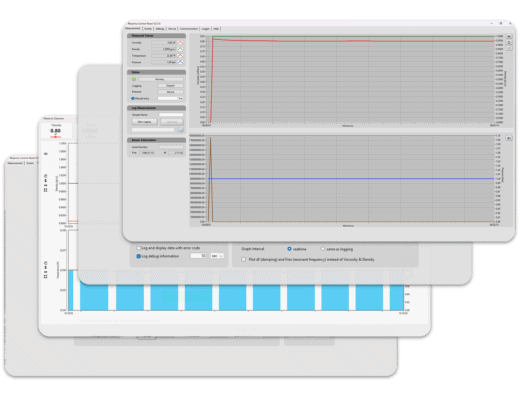
Rheonics Control Panel (RCP)
Connect, configure, export and analyze real-time data from Type SR (SRV and SRD) and Type-DV (DVM and DVP) sensors. RCP combines visualization, diagnostic, and communication protocols configuration to easily integrate the sensor with the process system in a single powerful environment.
Quick Start Guide
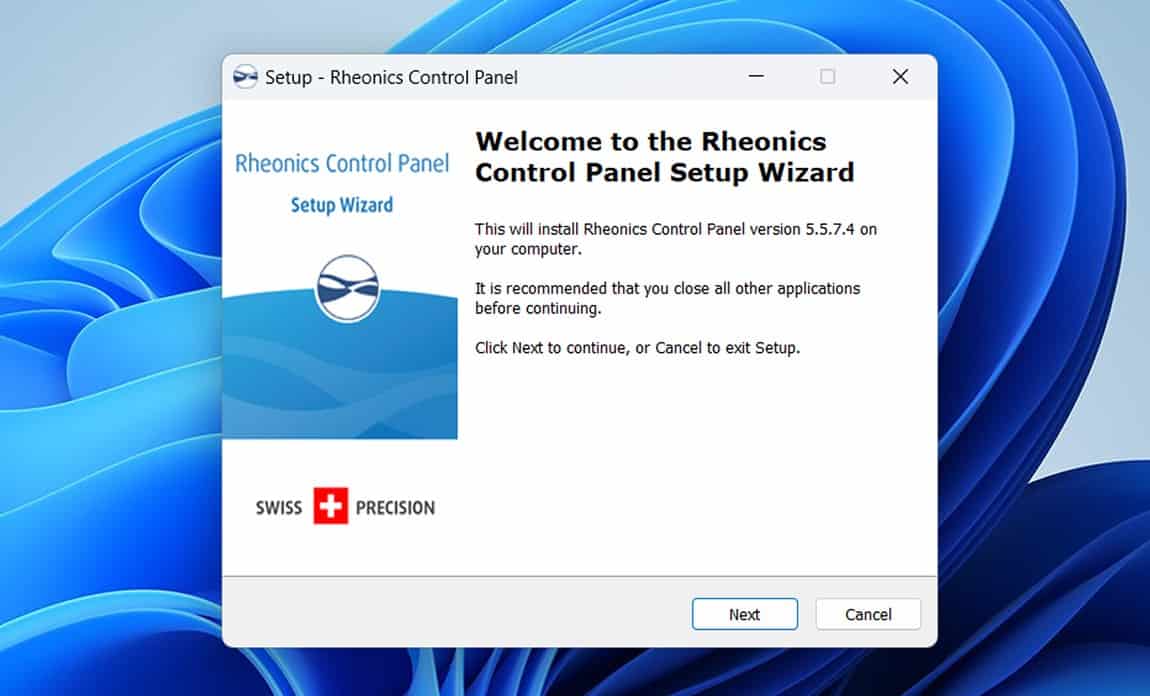
Install RCP
Download the installer. No complex licensing servers or dongles required.
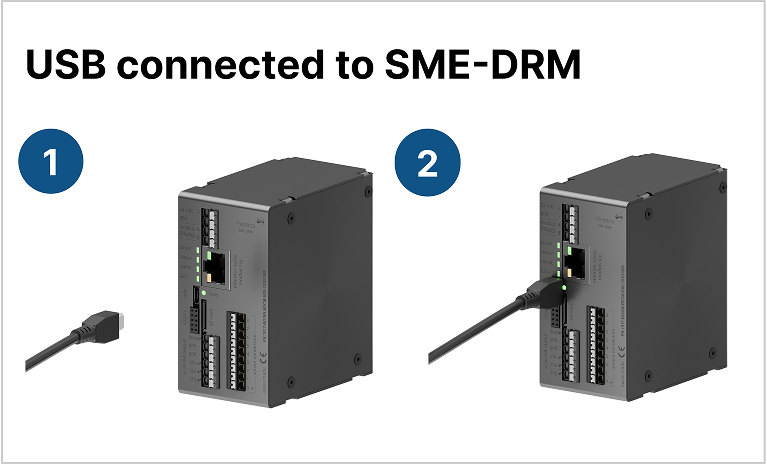
Connect Sensor
Connect via USB for detection, or via Ethernet for network-wide visibility.
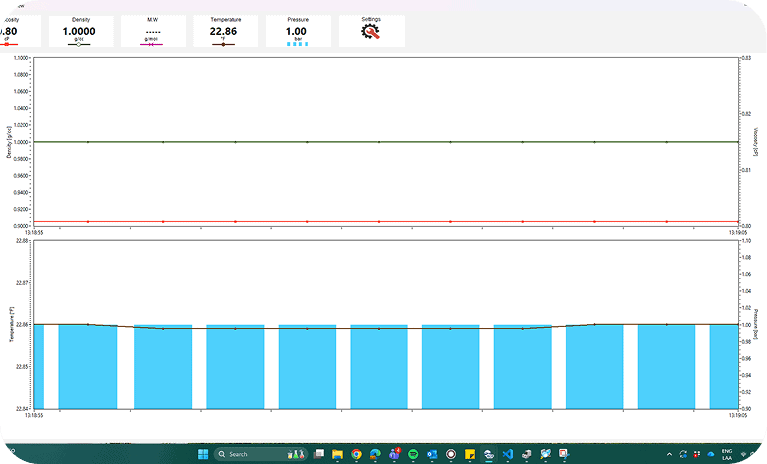
Start Measuring
View live data immediately. Configure the sensor, adjust measurement sampling, and outputs in real-time.
Key Capabilities
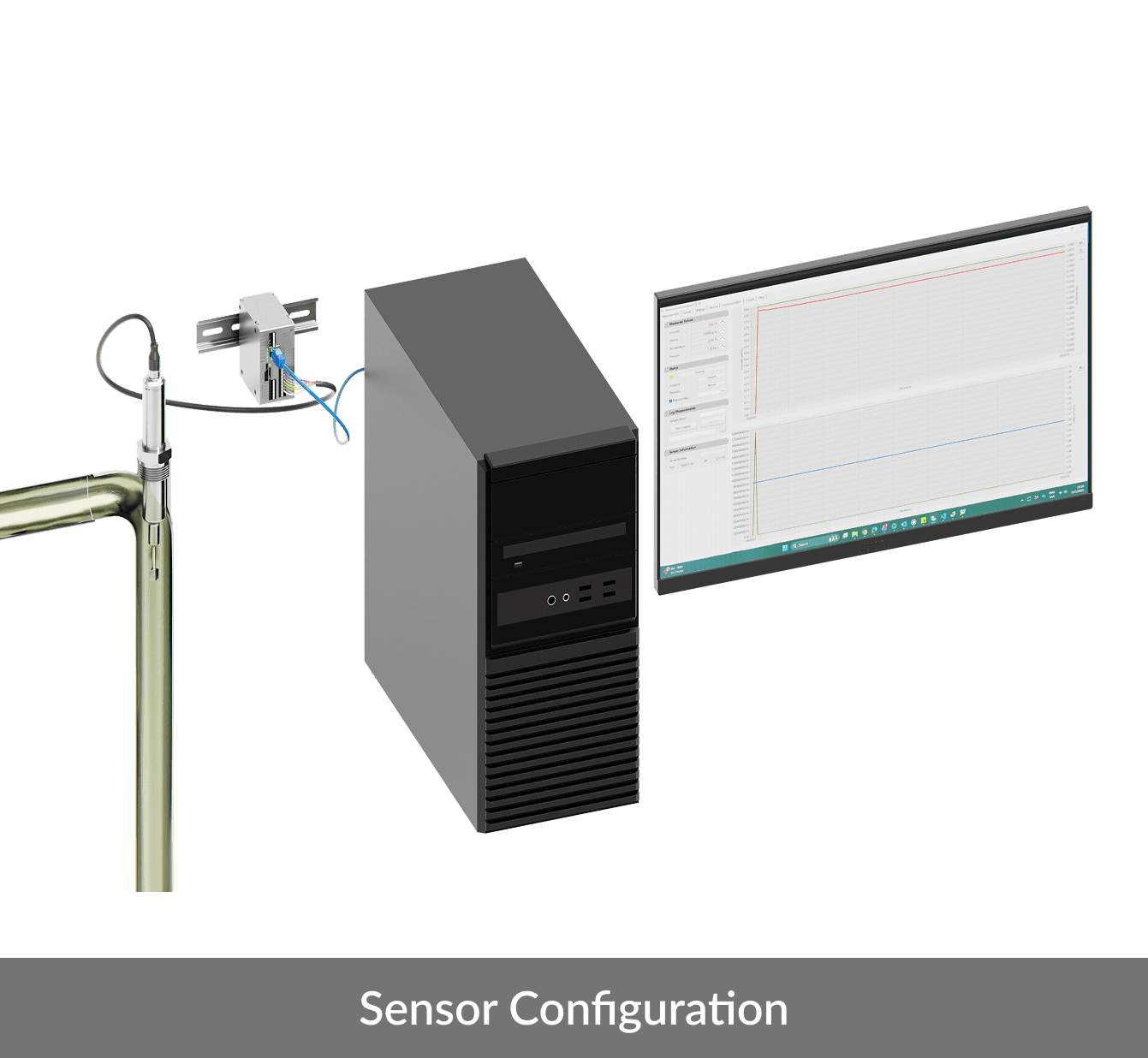

Real-time Visualization
Monitor viscosity, density, and temperature in real-time. View live trends, and detect process anomalies instantly.

Industrial Connectivity
Seamlessly set up HART, Modbus TCP/RTU, Ethernet/IP, and Profinet. Test PLC communication directly.


Sensor Configuration
Configure digital and analog outputs (4-20mA), set prediction models, and manage calibration coefficients.

Health & Diagnostics
Run Calibration Verification Methods (CVM) and access detailed error logs to prevent downtime.
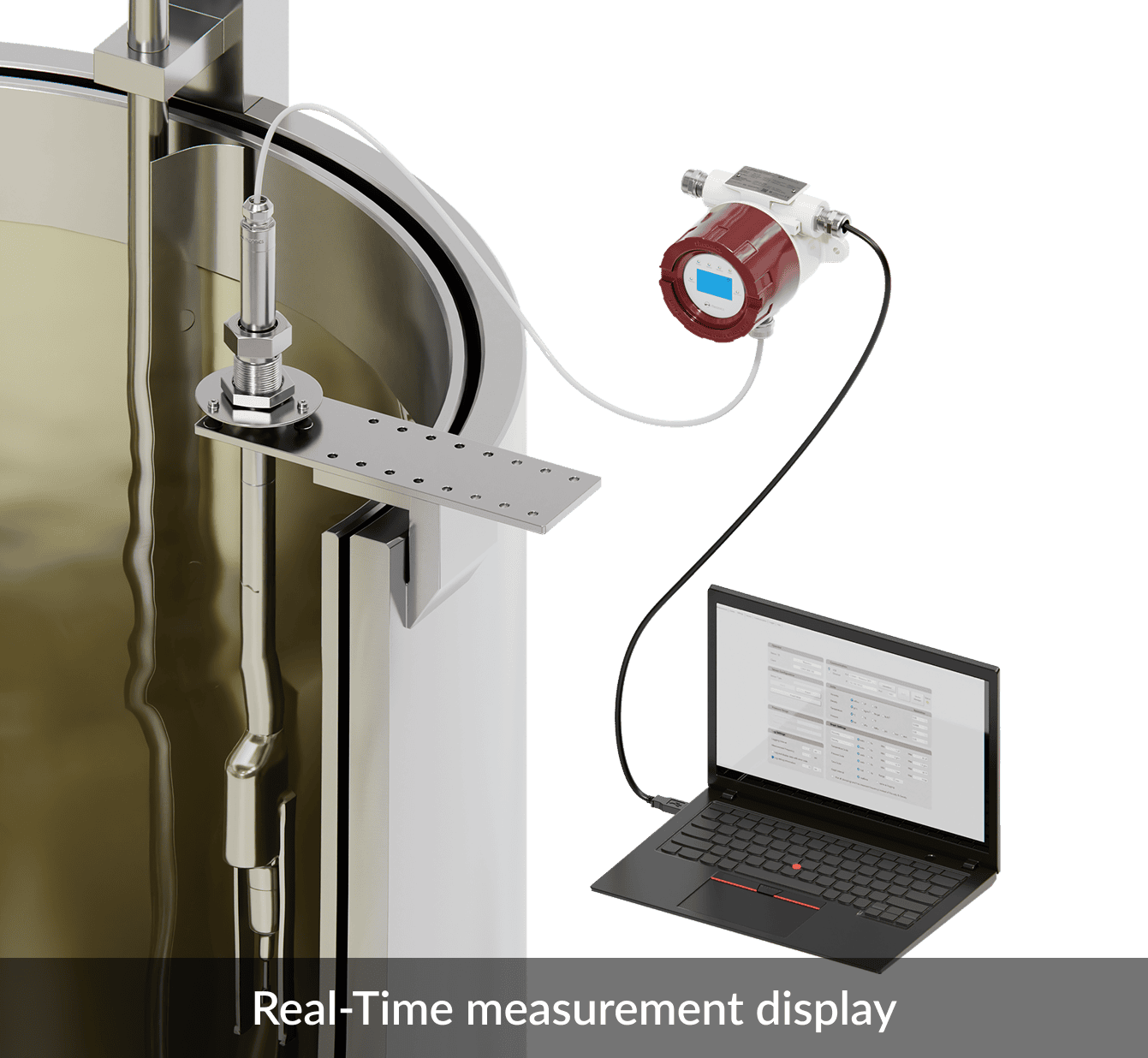

Data Logging
Capture high-frequency data to PC or access onboard historian. Export CSV files for external analysis in Excel or MATLAB.

Parameter Control
Tune the internal filter within the SME for process noise control on density, and viscosity measurements.
Value Proposition
Unified Control Platform
Use any Rheonics sensor (SRV, SRD, DVM, DVP) through the same intuitive software interface.
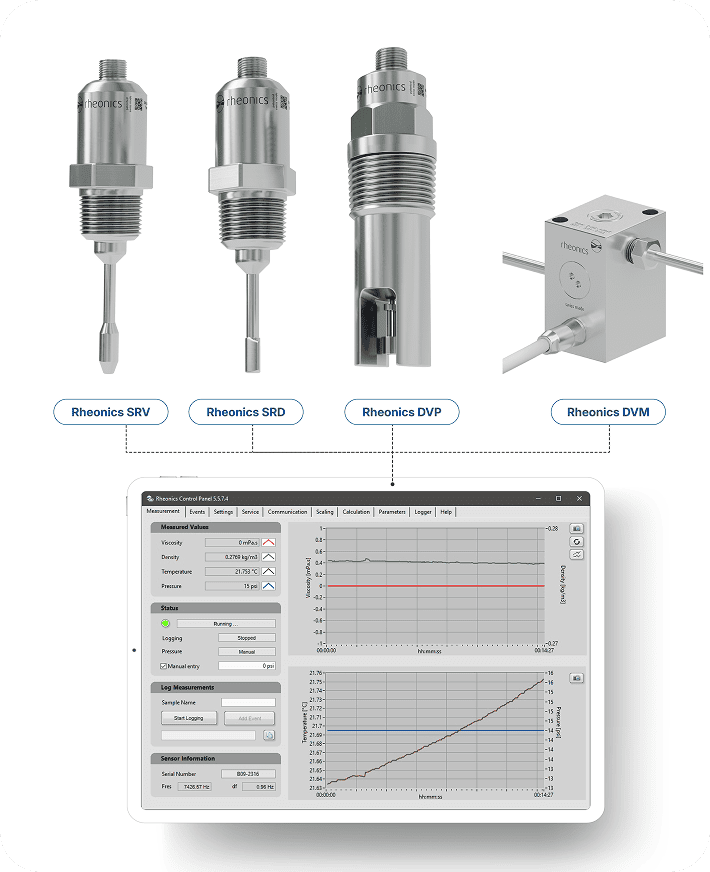
Enhanced Process Insight
Monitor viscosity, temperature, and density in real time to maintain optimal process conditions.

Customizable Data
Record measurements and mark custom events to capture complete operational context.
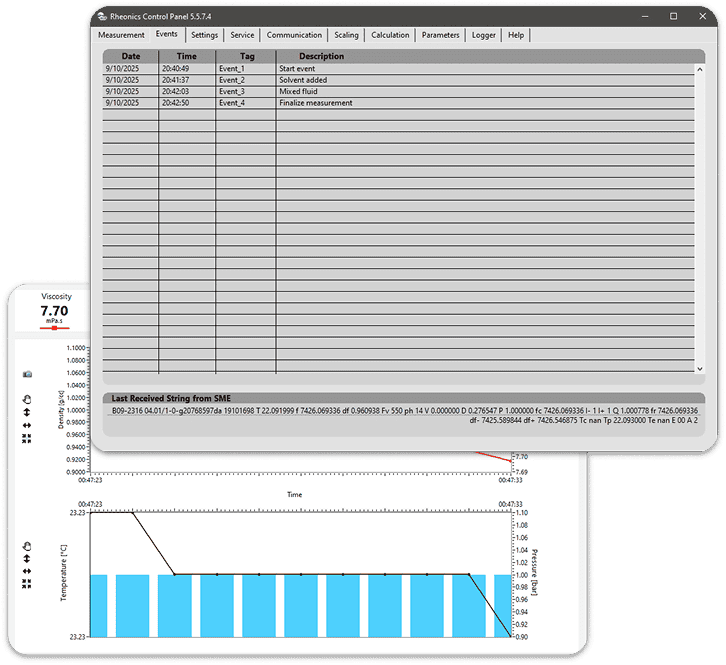
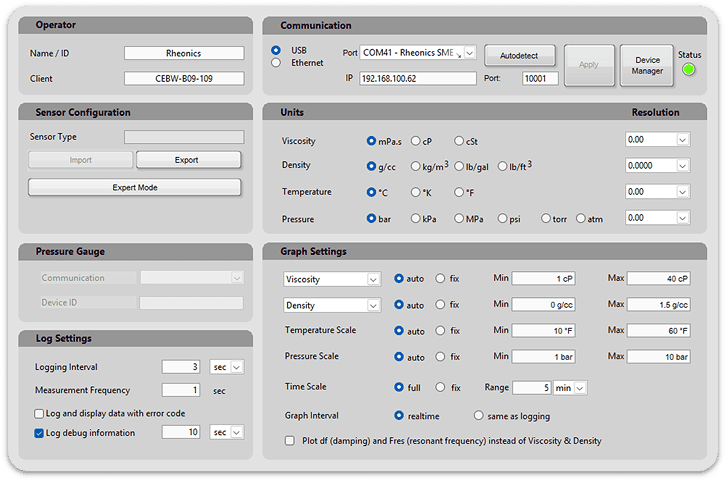
Simplified Setup and Configuration
Easily adjust scaling, units, communication protocols, and outputs without additional tools.
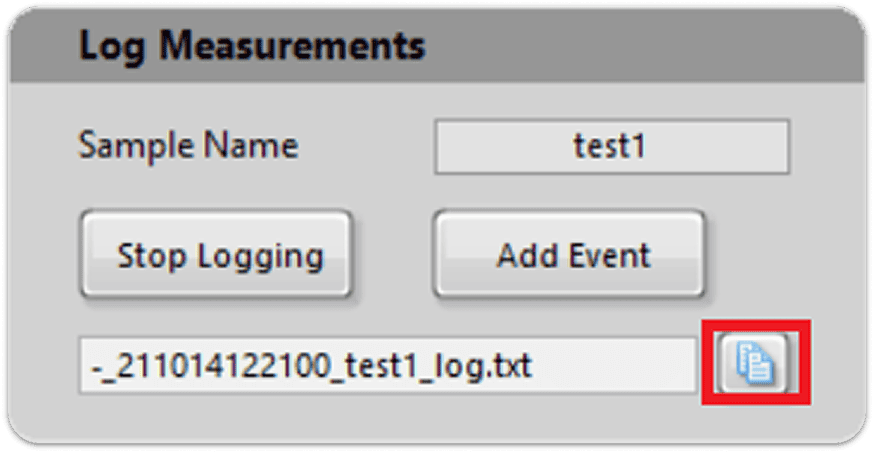
Improved Traceability
Generate detailed log files that support quality control and process documentation.
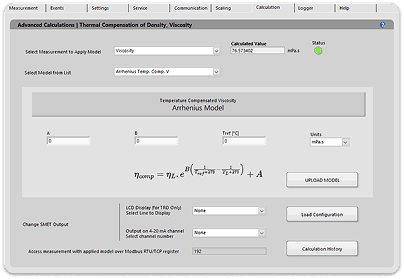
Flexible Output Definition
Use calculation models to tailor output behavior to specific application needs.
Industry Solutions
RCP acts as the bridge between raw sensor data and specialized process control. It supports seamless data hand-off to Rheonics application-specific modules and third-party industrial software.















System Requirements and Compatibility

Processor
Quad-core CPU or higher
Supported Operating Systems
Windows 7, Windows 10, and Windows 11 (64-bit)

Memory
Minimum 4 GB RAM (8 GB recommended)

Storage
At least 500 MB of free disk space

Display
Minimum resolution of 1280 × 720

Connectivity
USB or Ethernet port

Supported Devices
Rheonics SRV, SRD, DVM, and DVP sensors

File Output
Text-based log files (.txt) generated by the user or during active logging sessions
- Added support for firmware 4 electronics
- Added support for Julabo bath on the temperature control tab.
- Added new HART settings.
- Added Profinet settings.
- Added Licenses table.
- Added Parameters tab.
- Added language support.
- Improved Help tab.
- Improved temperature control process.
- Added BLE communication support for firmware 3 electronics.
- Added new calculations models for Density and Concentration.
- Added execution of multiple instances of the software.
- Added Onboard Logger tab to download measurement files of the sensor.
- Added Excel export feature for sensor measuring files.
- Added Scaling tab.
- Added Calculations tab.
- Added export configuration feature.
- Added reset to default feature
- Added External Pressure and Temperature support.
- Added communication configuration tab.
- Improved Dataview window
- Added temperature control tab for TCM systems.
- Added external pressure sensor support.
- Added diagnostics tab.
- Addition of “Last String Received from E-Box” in the “Events” Tab.
- Rheonics Dataview added, expanded window for plotting all the parameters, plus molecular weight.
Frequently Asked Questions
Everything you need to know about Rheonics RCP and how it works. Can’t find an answer? Get in contact with our team.
Yes, RCP 5.0 is included with every Rheonics sensor purchase. There are no annual license fees or subscription costs.
Yes, you can install RCP on up to 2 computers with the included license.
No, RCP works completely offline. Internet access is only required to check for software updates or to download new firmware.
RCP 5.0 supports all current SME electronics (SRV, SRD, DVP, DVM). For very old legacy hardware, please contact support for compatibility options.
RCP is primarily for configuration and diagnostics. For real-time process control, we recommend connecting the sensor directly to your PLC via HART, Modbus, Ethernet/IP, or 4-20mA.
You can download the latest installer by contacting Rheonics support.
Get started with RCP today
Included with every Rheonics sensor. No license fees. No subscriptions.